Guide
Team roles and workspaces
Updated Sep 25, 2026 · 6 min read

A workspace is the unit of billing and membership; brands live inside it, and members hold one role each. This guide explains the roles and what they allow, how invitations and seats work, where to set the number of approvals a piece needs, what the audit log records, and how to export or delete everything.
Workspaces and brands
You get your first workspace at sign in. It carries the plan, the credits, the members, the API keys and the webhooks, while brands sit inside it with their own documents and content. Switch between workspaces from the top of the sidebar, or create another one from the same menu when a second company needs its own billing and members. An agency usually runs one workspace with a brand per client.
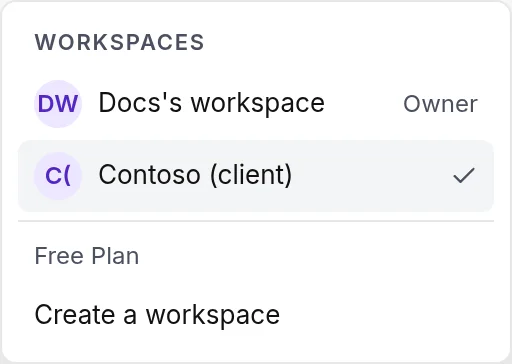
- 1Create a workspace
The seven roles
Roles rank from owner down to viewer, and a higher role can do everything a lower one can. Roles and approvals as a feature, that is inviting members below admin and requiring approvals, are on the Pro plan and above.
| Role | What it adds |
|---|---|
| Owner | Everything, plus cancelling or resuming the plan, transferring ownership of the workspace and deleting it. One per workspace. |
| Admin | Billing and plan changes, members and invitations, API keys, the audit log, custom templates, the brand's danger zone. |
| Editor | Publishing, connecting channels and analytics, editing brand documents and settings, approving batches. |
| Writer | Creating pieces and batches, editing drafts, sending to review, keyword research. |
| Reviewer | Approving versions, requesting changes, resolving comments. |
| Client | Reading the pieces for their brand and commenting on them. |
| Viewer | Reading everything in the workspace. |
Invitations and seats
Invite a teammate from Settings with an email address and a role. The invitation link works for seven days and lands on a page that asks the person to sign in or sign up with that address. Each plan includes seats, one on Free, three on Regular, ten on Pro; extra seats on a paid plan are 15 dollars a month each, added from Billing.
Approvals
A piece moves to review when its writer chooses Send to review. Reviewers approve the current version or request changes with a note that becomes a comment; the piece returns to draft and the pipeline can be reopened with the note. The number of approvals a piece needs is a workspace setting under General. The default is one, and a brand can require its own number. A version with a humanizer hard fail cannot be approved.
The audit log
Admins see the audit log under Settings: who started a run, changed a plan, created or revoked a key, published, approved, requested changes, along with every call an API key made. Each entry names the actor and the action, plus the target with its details.
API keys
API keys live under Settings and are on the Pro plan and above. A key has a name and scopes, acts as the member who created it under that member's role, and shows its secret once. Revoking a key or removing the member stops it at once. The API reference explains the scopes and the endpoints.
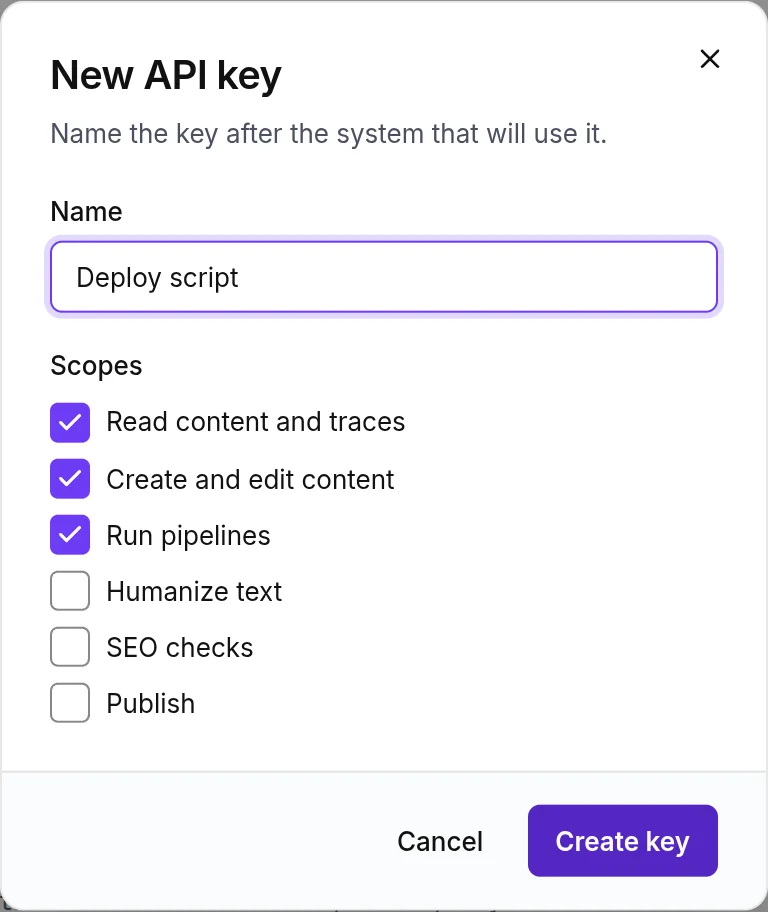
- 1The six scopes
Export and delete
Owners and admins can download the whole workspace as JSON from the Data tab. The file holds the following.
- Brands and their documents.
- Every piece with its versions.
- Keywords and clusters.
The owner can delete the workspace from the same tab after typing its name; deletion is immediate and cannot be undone. Cancelling a paid plan keeps the workspace and its content on the free plan instead.
Something missing or wrong on this page? Write to hello@writerdean.com and say which section.