Guide
Publishing and the calendar
Updated Sep 25, 2026 · 7 min read
Publishing takes an approved piece from the editor to a connected channel, now or at a time you pick, and records where it went. This guide covers the channels, the publish dialog, the calendar and the board, republishing, the signed webhooks that tell other systems what happened, and the automations that run on a schedule.
The channels
| Channel | What it publishes |
|---|---|
| WordPress | Posts and pages through the REST API with an application password. |
| Webflow CMS | Collection items, live or as drafts. |
| Ghost | Posts and pages through the Admin API. |
| Shopify | Blog articles and product descriptions. |
| HubSpot | Blog posts on a HubSpot CMS blog. |
| Medium | Stories on your profile or a publication. |
| Posts on your profile or a company page. | |
| X | Posts and numbered threads. |
| Webhook | Zapier, Make, n8n or your own endpoint, with signed requests. |
Connecting a channel
Open Integrations and choose a channel, then fill in what it asks for: a site URL and an application password for WordPress, an API token and a collection for Webflow, and so on. Credentials are encrypted at rest and only decrypted inside the worker that publishes. Each connection lists its destinations, for example a blog and a page collection, and a connection can be checked or disconnected at any time.
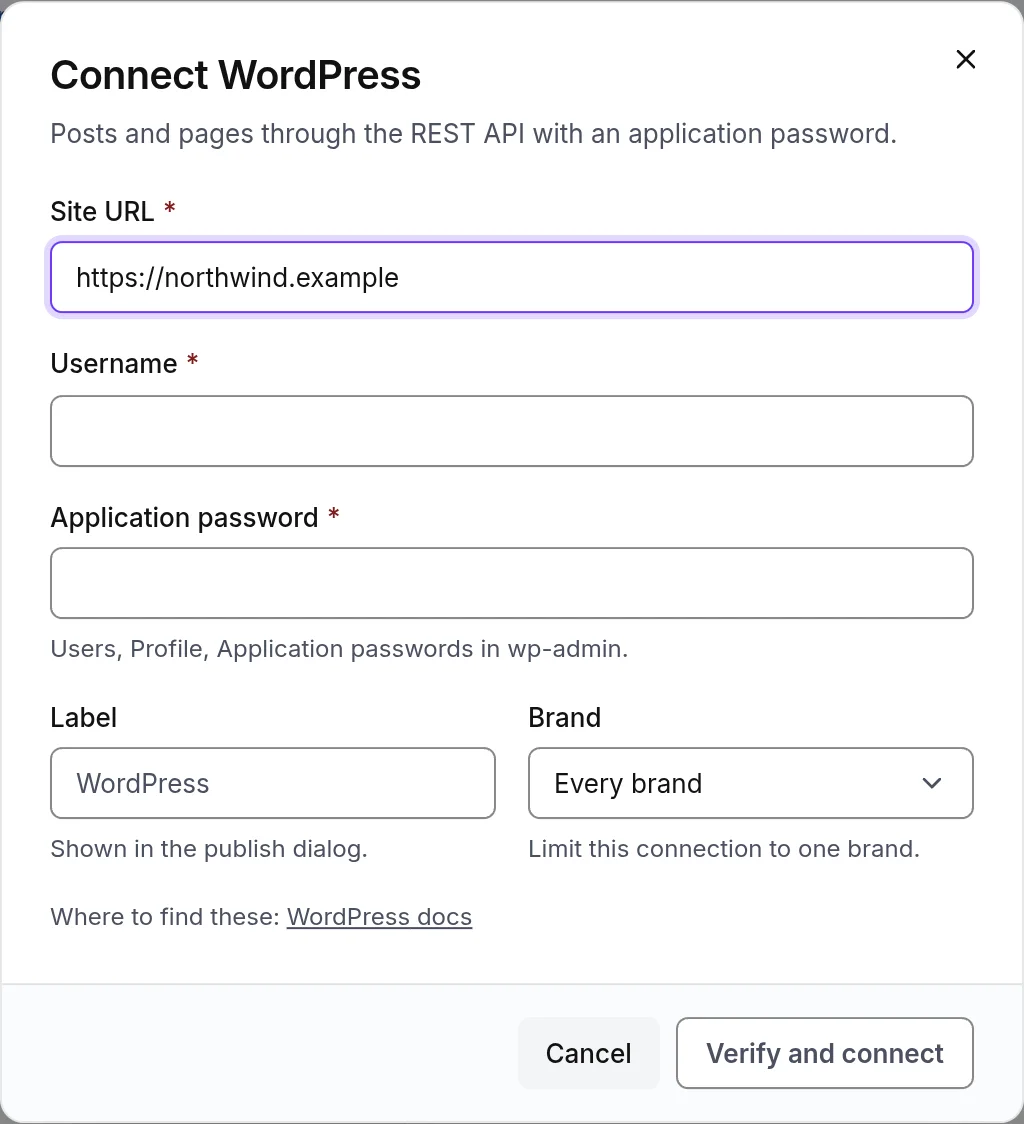
- 1Credentials, encrypted at rest
Publishing a piece
Publish appears on an approved piece. Pick the channel and the destination, then publish now or schedule a time in your local time zone. Link tagging adds UTM parameters to the links in the piece. The piece moves to scheduled or published, and the Publications list in the editor shows every attempt with its status and the live URL.
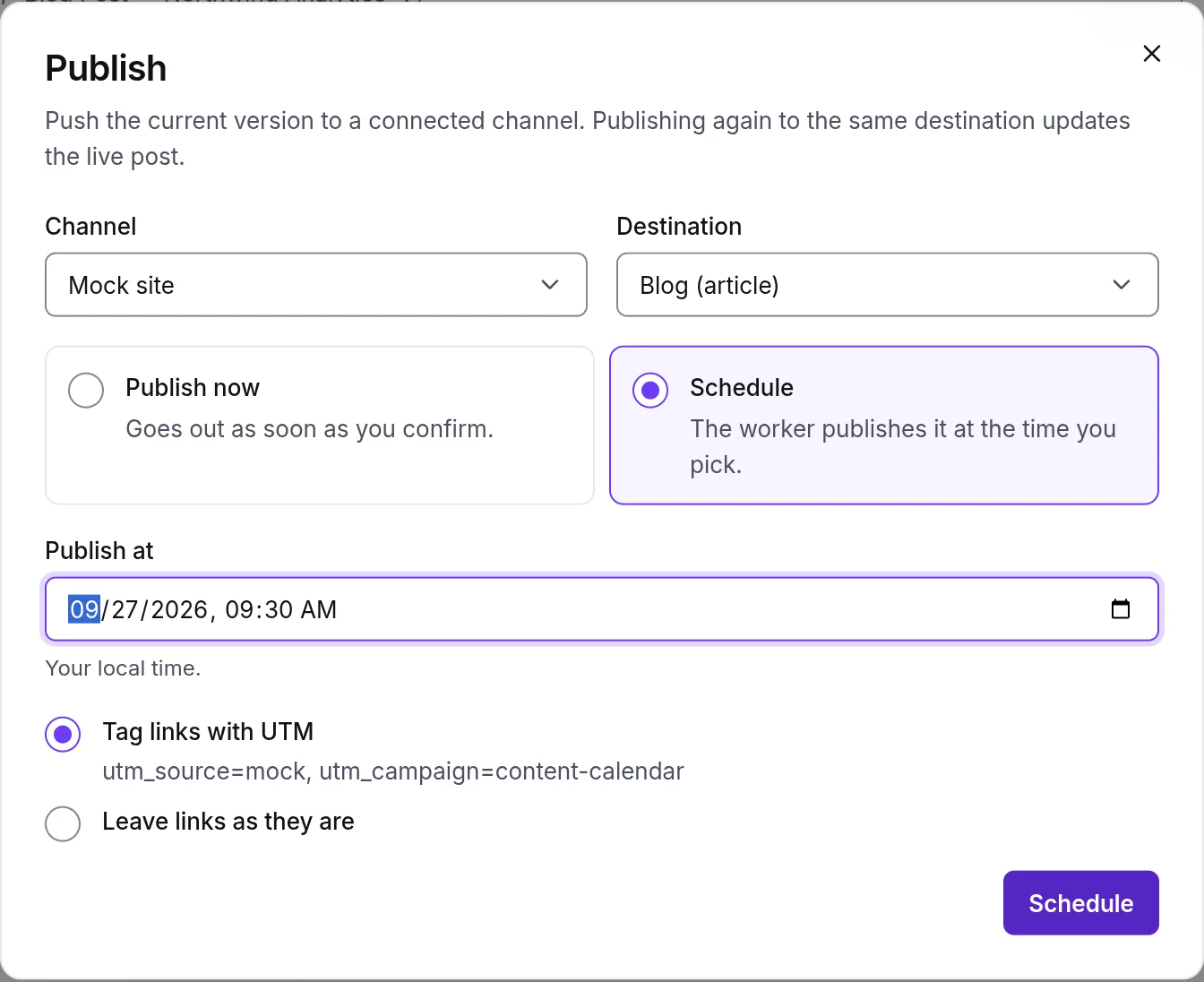
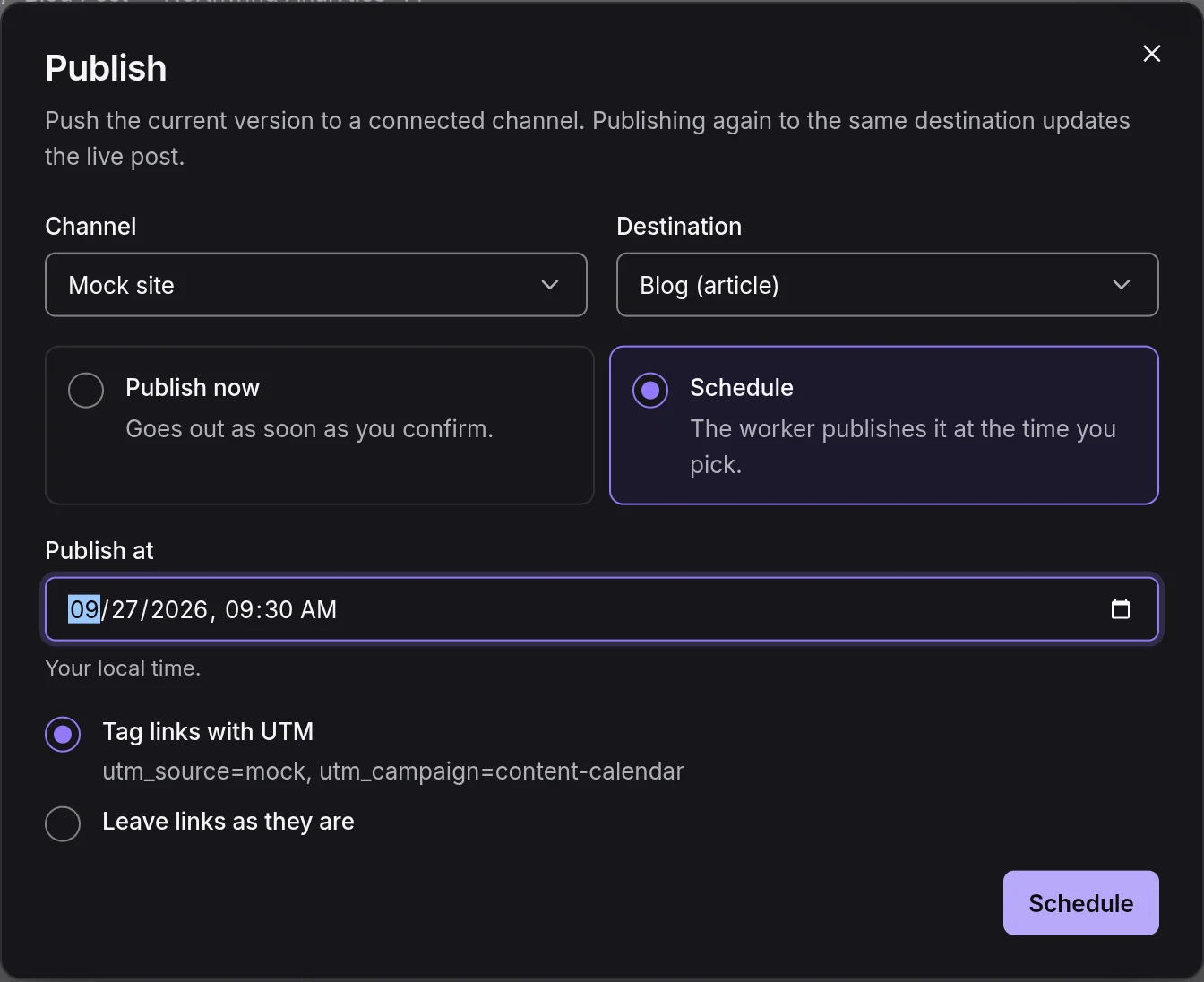
- 1Schedule, with the time
Publishing the same piece to the same destination again updates the live post rather than creating a second one, so the same URL now serves the refreshed version. A scheduled publication can be cancelled before it goes out, and a published one can be unpublished from the same list.
The calendar and the board
The calendar shows scheduled and published pieces by day, in a month or a week view, filtered by brand. Plan a slot adds a working title with a bucket, a channel and a brand to a day before the piece exists, so a team can lay out a month first and write into it. Content has a board view as well, with a column per status from idea to published.
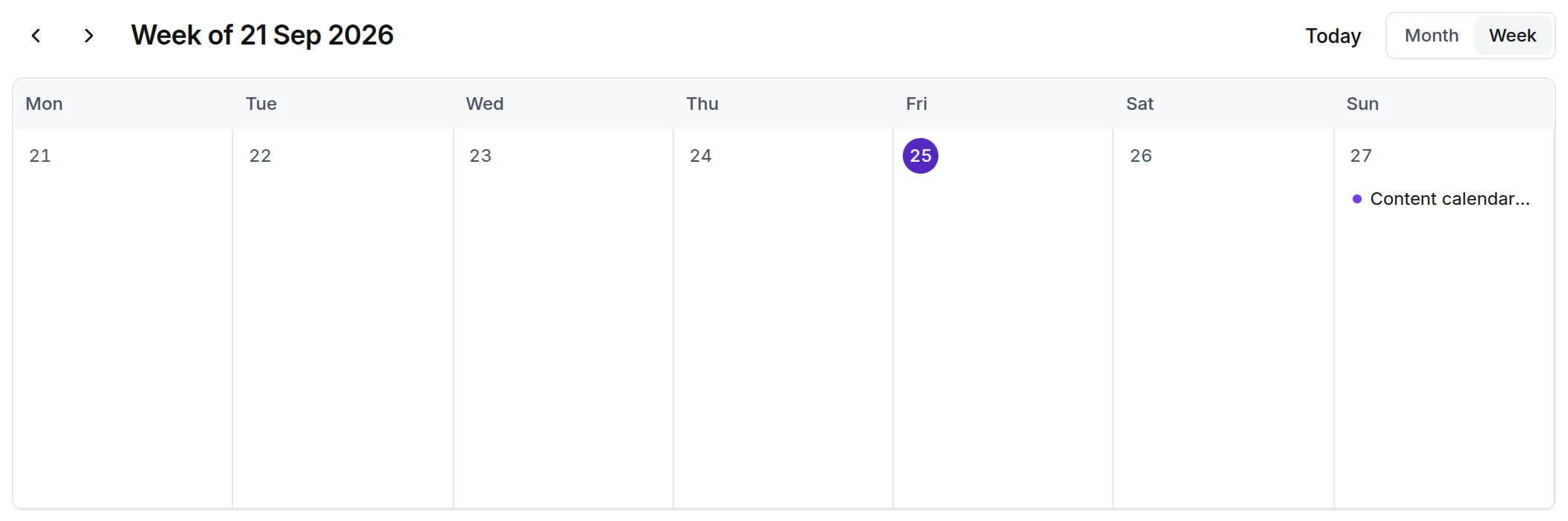
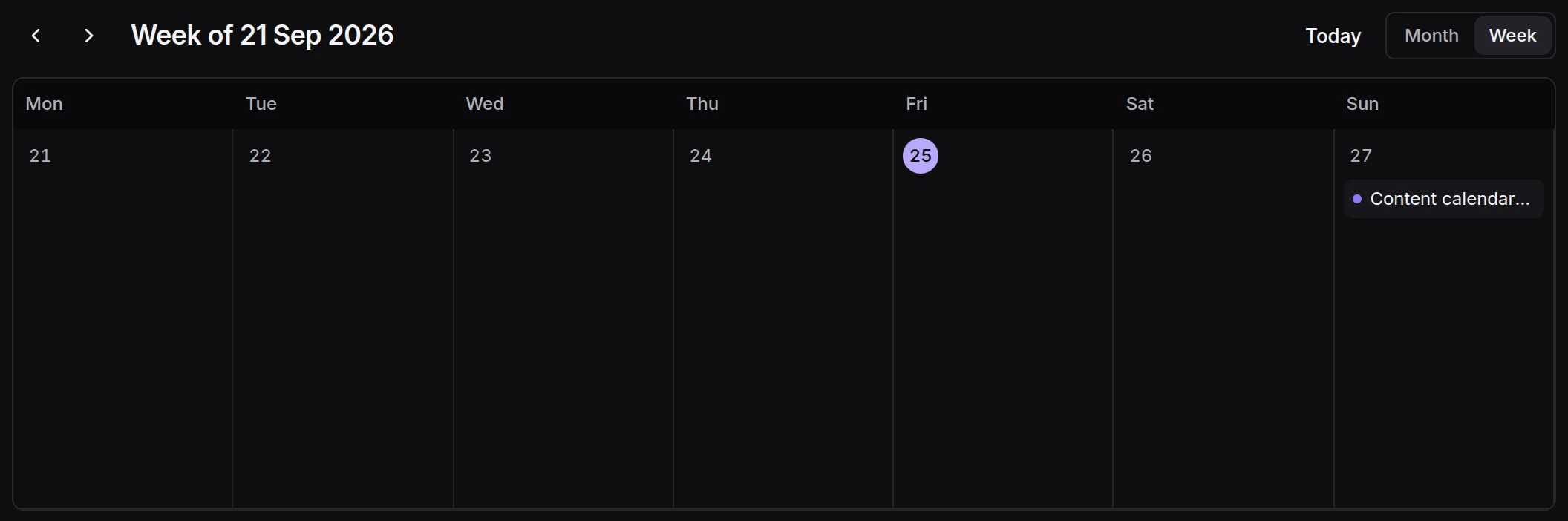
- 1A scheduled piece
Outbound webhooks
The Webhooks tab under Integrations sends signed events to a URL you give it. Choose the events when you add the endpoint; the secret shows once. Every request carries the event name in the x-writerdean-event header and a signature in x-writerdean-signature, an HMAC with SHA-256 over the timestamp and the body. A failed delivery is recorded on the endpoint and never blocks a run or a publish.
| Event | When it fires |
|---|---|
| content.created | A template or a batch row created a piece. |
| content.status_changed | A piece moved between statuses, for example to approved. |
| content.published | A publication succeeded, with the live URL. |
| content.failed | A run failed after its retries. |
| batch.finished | Every row of a batch reached a final state. |
| publication.failed | A publication failed after its retries. |
The API reference shows the payload and how to verify the signature.
Automations
Automations run a loop on a schedule: top uncovered keywords drafts the pieces your keyword map is missing, three at a time, and sends them to review; weekly newsletter writes the newsletter from the week's published pieces; daily atomization repurposes what was published yesterday into social posts; refresh sweep opens refresh runs for decaying pages; custom brief runs any template with a fixed brief. Schedules are hourly, daily or weekdays at 08:00, Mondays, the first of the month, or a cron expression, in the workspace time zone. Automations are on the Pro plan and above.
Something missing or wrong on this page? Write to hello@writerdean.com and say which section.