Guide
Brand context
Updated Sep 25, 2026 · 7 min read
The brand document is the first thing every run reads and the reason two brands in the same workspace never sound alike. It has twelve sections, drafted from your website in under a minute or answered one at a time, then edited whenever the brand changes. This guide lists the sections, explains how the stages use them, and points at the ones worth checking by hand.
The twelve sections
The layout mirrors the product marketing skill's template, so the markdown the pipeline reads never drifts from the form you edit. Each section has a prompt that says what it is for.
| Section | The question it answers |
|---|---|
| Product overview | In plain words: what is this and how does it make money? |
| Target audience | Who buys, who decides, what job are they trying to get done? |
| Personas | Two or three people you write for most often. |
| Problems and pain points | What hurts today, and what does it cost them? |
| Competitive landscape | Who else could they choose? |
| Differentiation | Why you, and what makes that better? |
| Objections and anti personas | What stops people from buying, and who should not buy? |
| Switching dynamics | What pushes people away from the old way, and what holds them there? |
| Customer language | The exact words customers use, and the words you never use. |
| Brand voice | How the brand sounds, with paired examples. |
| Proof points | Numbers, quotes and results, as long as you can stand behind them. |
| Goals | What the content should achieve this quarter. |
How the wizard drafts it
With a website, the wizard fetches the homepage, the about, pricing, blog and features pages, then drafts the twelve sections from them. It marks what it could not find, and you confirm or correct each section before the first run. Without a site, it asks the questions one section at a time. Either way the result is version one of the document.
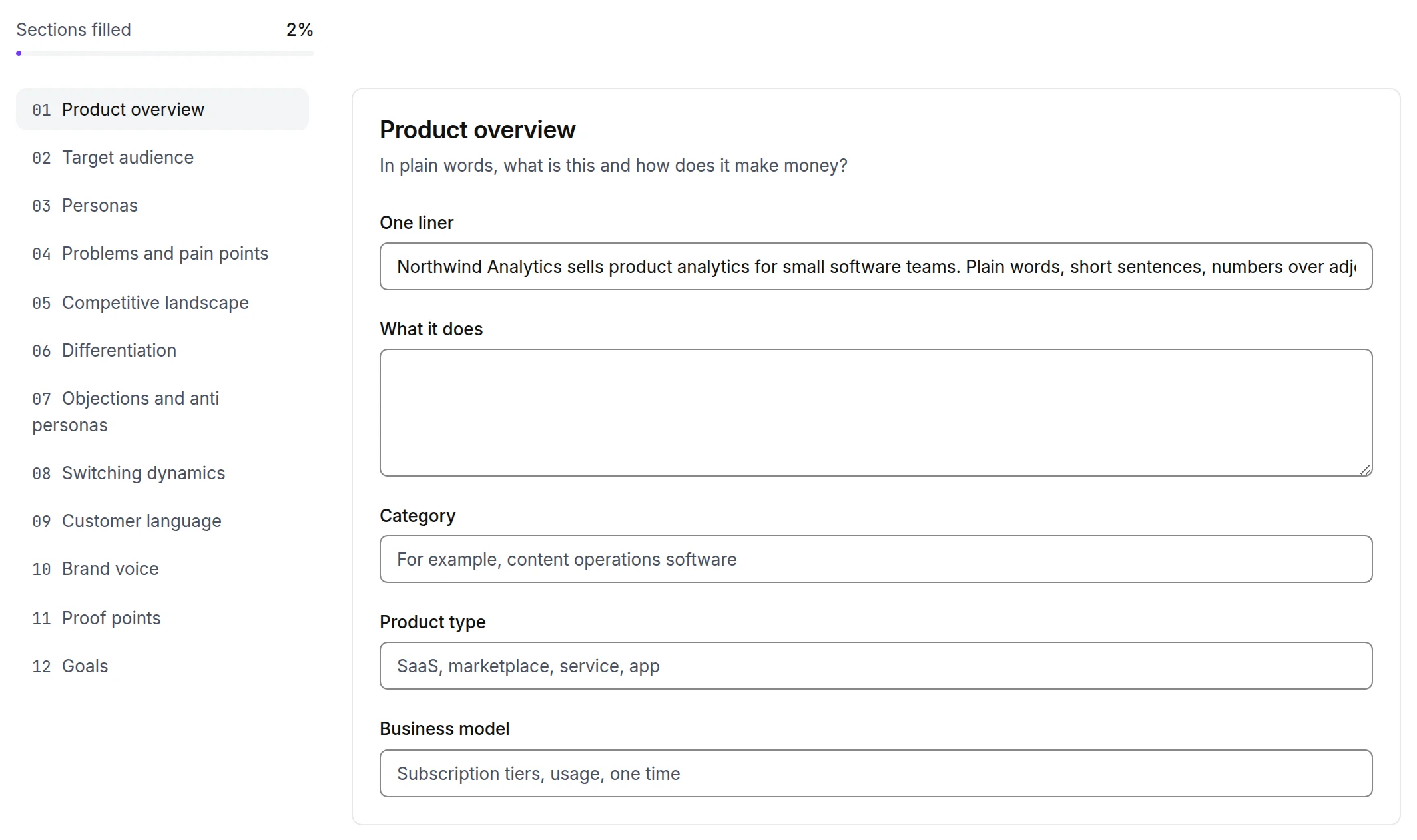
- 1Completeness of the document
- 2A section and its fields
What each stage reads
The pipeline renders the whole document to markdown and places it in every prompt, so every stage can read every section. Some sections matter more at some stages.
- Research and strategy lean on the audience, the problems and pain points, and the competitors to decide the angle and the buyer stage.
- The draft leans on the voice, the customer language and the proof points, and it only uses a number or a claim that appears in the document. It marks anything else as needing a source.
- The SEO layer reads the goals and the customer language for the title and the meta description.
- The humanizer reads the voice section and the brand's writing samples to match the voice while it removes the tells.
- The brand compliance gate reads the words to avoid and flags any that slipped through.
Voice and rules
The Voice and rules tab of a brand holds the settings that sit beside the document.
- The default call to action.
- The language and locale.
- The reading level the readability gate targets.
- The dash policy and quote style the lint enforces.
- The glossary.
- Writing samples: paste two or three pieces you are proud of, and the humanizer matches their sentence length and punctuation.
Versions and history
Every save is a new version of the document, and every run records which version it read, so a trace from last month still names the document it used. The History tab lists the versions. The Content tab lists every piece written for the brand, and the Site files tab drafts the llms.txt and companion files for your own site from the document.
What to check by hand
- 1
Proof points
Delete anything you would not say to a customer. The draft treats every line here as usable, and the fact check gate treats a claim without a source in the document as unsupported.
- 2
Words to avoid
Competitor names, banned claims, words your legal team dislikes. The brand compliance gate reads this list on every run.
- 3
Personas
Two or three real people beat five vague ones. The brief's audience field defaults to the primary decision maker from this section.
- 4
Customer language
Paste real quotes from support tickets or reviews. The draft uses these words in headings and answer blocks.
Something missing or wrong on this page? Write to hello@writerdean.com and say which section.