Guide
The pipeline and the trace
Updated Sep 25, 2026 · 8 min read

A run is one piece of content moving through a fixed chain of stages. Each stage loads named skill versions, calls a model or a check, and leaves its output in the trace. This guide explains the stages, the gates between them, the approval checkpoint, the statuses a run can have, and what each line of a trace means.
The nine stages
A blog post walks all nine stages below, in this order. The first and the last make no model call: Brand Context loads the document, and Quality gates run the checks. Every other stage assembles a prompt from WriterDean's own instructions for that stage, the brand document, the skills the router assigned to it, and the outputs of the stages before it.
One run, nine stages Stage 1 of 9.
69,889 tokens and $0.012 for the captured run
- 1
Brand Context
product-marketing
The twelve sections of the brand document every later stage reads. No model call.
- 2
Research
content-strategy
A research brief: intent, questions, entities, gaps, and query variants, with every fact sourced or marked.6,734 tokens
- 3
Strategy
content-strategy
Buyer stage, a score, a place in the hub and spoke map, and ten title options.6,930 tokens
- 4
Outline
content-strategy, copywriting
Headings in sentence case, answer block positions, FAQ questions and a target length, plus the internal links to place.9,011 tokens
- 5
Draft
content-strategy, copywriting
The full piece, with a direct answer up front and a source on every number and claim.9,701 tokens
- 6
SEO layer
ai-seo, seo-audit, schema
The revised article plus its title, meta description, slug and share text, with the FAQ and the JSON-LD.18,841 tokens
- 7
Copy edit
copy-editing
Seven sweeps for clarity, voice, proof, and specificity, with no facts added.7,402 tokens
- 8
Humanize
humanizer
The final text, rewritten for every tell and scored again by the lint.11,270 tokens
- 9
Quality gates
no model call
Gate results: humanizer lint, SEO preservation, readability, facts, links, alt text, safety.
Which stages a piece runs
The router maps every content type to a chain of skills and a list of stages. Long form runs the full chain. Shorter formats skip what they do not need, and every writing chain ends with copy editing and the humanizer.
| Family | Stages | Skills in the chain |
|---|---|---|
| Blog and long form | research, strategy, outline, draft, SEO layer, copy edit, humanize, gates | content-strategy, copywriting, ai-seo, seo-audit, schema, copy-editing, humanizer |
| Comparison and alternatives | the same nine | competitors, competitor-profiling, ai-seo, schema, copy-editing, humanizer |
| Website copy | research, outline, draft, copy edit, humanize, gates | copywriting, cro, marketing-psychology, copy-editing, humanizer |
| Programmatic SEO | research, outline, draft, SEO layer, humanize, gates | programmatic-seo, site-architecture, copywriting, ai-seo, schema, humanizer |
| Social, email, ads | draft, copy edit, humanize, gates | the family's skill, copy-editing, humanizer |
| Strategy documents | research, draft, humanize, gates | the family's skill, humanizer |
The gates
Quality gates run after the humanizer on every writing chain. Three are required, and a required gate that fails sends the run to needs review instead of done. The rest are informational: they show in the trace and the editor so a person can decide.
| Gate | Required | What it checks |
|---|---|---|
| humanizer_lint | yes | Zero hard fails and a weighted score at or under the threshold. See the humanizer. |
| seo_preservation | yes | The humanized text still carries the primary keyword, the headings and the internal links, as the SEO layer placed them. |
| safety | yes | No blocked pattern in the output. |
| brand_compliance | no | Words to avoid from the brand document do not appear. |
| readability | no | Flesch Kincaid grade against the brand's reading level. |
| fact_check | no | Every number and named claim carries a source or a needs source marker. |
| link_validation | no | No invalid or placeholder links. |
| alt_text | no | Every image has alt text. |
| plagiarism and ai_detection | no | Informational scores that need a configured provider. |
The approval checkpoint
Templates for long pieces pause after the outline. The run stops at awaiting approval, the run page shows the headings, and a person edits them in place if needed and chooses Approve and continue. The draft stage then reads the approved outline. Through the API, approvalAfterOutline sets the same pause, and an agent sees the run stop at awaiting_approval until someone approves it in the app.
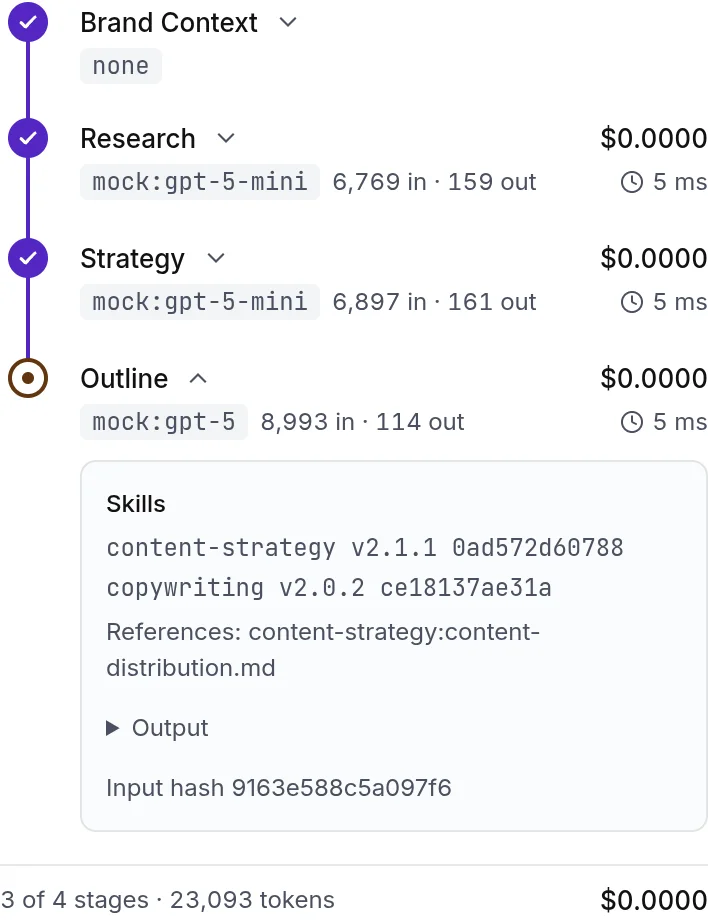
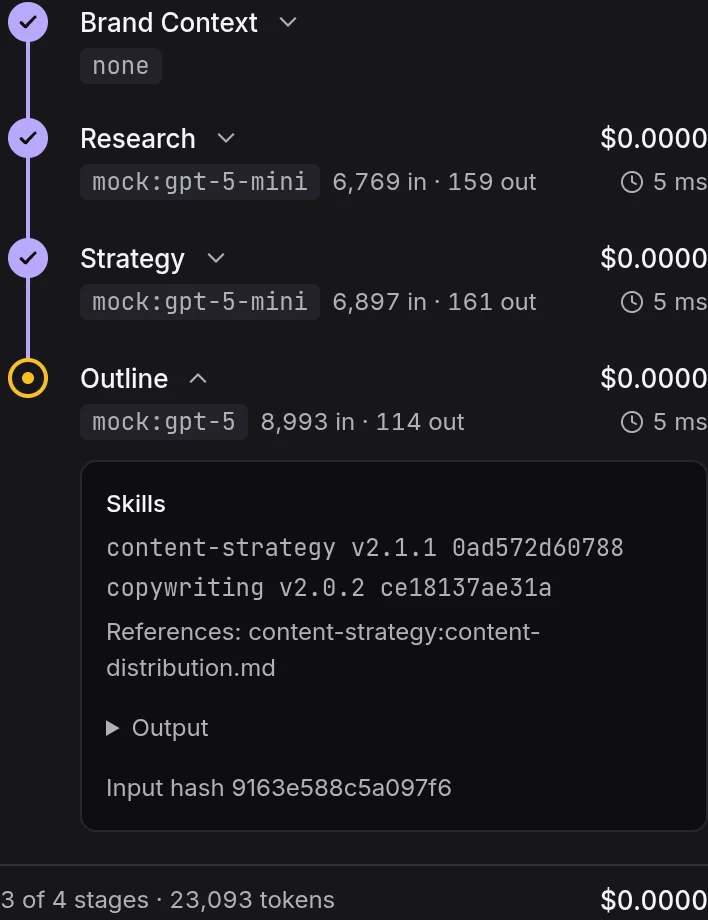
- 1A finished stage with its cost
- 2The paused stage and its skills
Run statuses
| Status | Meaning |
|---|---|
| queued | Accepted. A worker picks it up within seconds. |
| running | Stages are executing. The run page and get_run show which one. |
| awaiting_approval | Paused at the outline checkpoint for a person. |
| done | Every required gate passed. The piece has a new current version. |
| needs_review | Finished, but a required gate did not pass within its retries. The editor shows why and a person decides. |
| failed | A stage failed after its retries. The error is on the run page. |
| cancelled | Stopped from the run page. |
The humanize stage gets two attempts by default. If the second attempt still fails the lint or the SEO preservation gate, the run finishes as needs review with the best attempt as the current version, so nothing is lost and the findings are there to work from.
Reading a trace
The Trace panel lists every stage of the latest run. Each line carries the skills it loaded with their version and content hash, the model, the input and output tokens, the cost in dollars, the latency, the results of each gate, and the stage's output. Prompts stay with platform admins; the trace shows everything else.
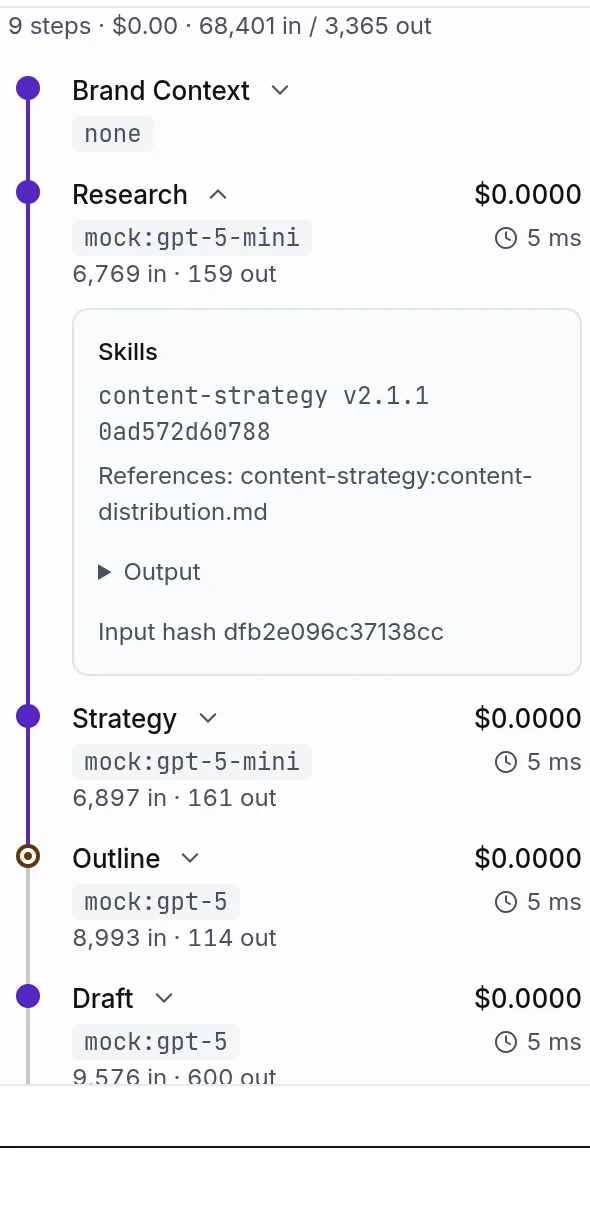
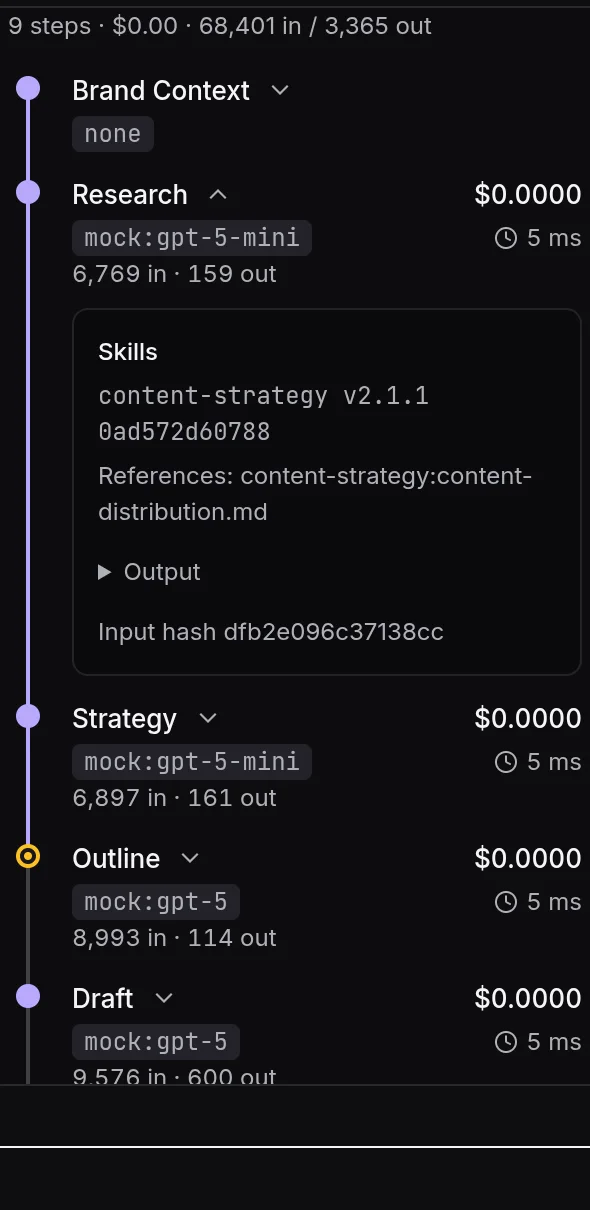
- 1Skill name, version and hash
Costs in the trace are the model costs of the run. Credits, the unit your plan meters, count finished words instead: one credit per 100 words of the final version. The two numbers answer different questions, so both are shown. See billing and credits.
Running again
Regenerate a single section from the editor with a note about what should change, or run the whole pipeline again with a changed brief. Both create a new version and a new run; the earlier versions stay under Versions, where any two can be compared. Through the API, POST /v1/pipelines with a contentId does the same.
Something missing or wrong on this page? Write to hello@writerdean.com and say which section.