Guide
The humanizer
Updated Sep 25, 2026 · 7 min read
The humanizer is the last writing stage of every run and the one rule the product enforces without exception. It rewrites the draft for the patterns that mark machine prose, then a programmatic lint scores the result. This guide explains the patterns, the lint, the score you see in the editor, and how to work with the findings.
What it looks for
The skill is version 3.0.0 of the humanizer, built on the Wikipedia project's list of signs of AI writing. It names 25 tells in five groups: staging instead of stating; rhythm by rule; inflation and borrowed authority; formatting by rule; and leftovers from the chat. The strongest ones justify an edit on one sighting.
- Not X but Y contrasts, one line closers that repeat the point, sayings that sound deep, staged run ups such as let us dive in, and arguing with an objection nobody raised.
- Forced triads, repeated sentence openings, stacked qualifiers, dashes as the universal connector, and hyphenated pairs everywhere.
- Overused AI words from the skill's fixed list, inflated significance, sales language, vague connections or associations, and borrowed authority.
- Bold as decoration, headings in title case, and curly quotes where the brand uses straight ones.
- Chatbot residue such as a sign off that hopes the reader found it useful, knowledge limit disclaimers, a heading repeated in its first sentence, and writing about the previous version.
The lint
After the model rewrites the draft, the lint reads the result without a model. Each tell it finds carries a weight, and the weights add up into a score per 1,000 words. The default threshold is 3. The lint scores a short text as if it were at least 250 words, so one weak hit does not fail a social post.
Four findings are hard fails, which block the piece whatever the score: an em dash or an en dash beyond the brand's allowance, chatbot residue, a knowledge limit disclaimer, and an unresolved needs source marker left by the draft stage.
The score in the editor
The Human panel shows the lint as a score out of 100: 100 minus the weighted score, on a scale where four times the threshold reaches zero. A piece exactly at the threshold shows 75; a clean piece shows close to 100. Under the ring the panel prints the raw number, for example 1.9 weighted per 1,000 words with a limit of 3, and the dash count against the brand's allowance.
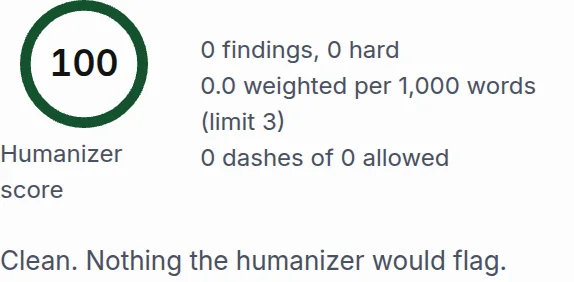
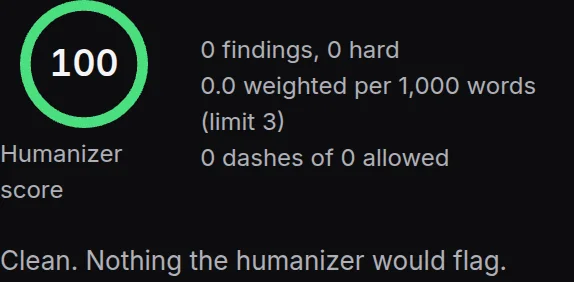
- 1The score ring
- 2The findings list, empty for a clean draft
Each finding names the tell, quotes the excerpt with its line number, and marks its severity. Hard fails come first. A fix rewrites only that sentence and scores the piece again, and editing the markdown by hand does the same on save.
Retries and needs review
When the first rewrite fails the lint, the stage runs again with the findings in the prompt, up to two attempts by default. A run that still fails after its attempts finishes as needs review, with the best attempt as the current version and the findings waiting in the panel. A reviewer cannot approve a version with a hard fail; the sentence has to change first.
The controls that shape it
The humanizer reads the brand document like every other stage, and three settings on the Voice and rules tab of a brand change what it does. Writing samples give it a voice to match, including a dash rate if your samples use dashes. The dash policy sets how many em or en dashes per 1,000 words the lint allows; the default is none. The quote style sets straight or curly quotes.
Humanizing text from outside
The same skill runs on any text through POST /v1/humanize or the humanize_text MCP tool. Send lintOnly: true to score a text without rewriting it, or a brandId to apply that brand's samples and dash policy. The response carries the rewritten text, the lint report before and after, and how many attempts it took. See the API reference.
Something missing or wrong on this page? Write to hello@writerdean.com and say which section.